
 Cart is empty
Description
The Standard WordPress Bug Fix Service is designed for website problems that require proper troubleshooting to identify the cause before an effective repair can be made.
It is the next level above our Quick WordPress Fix and is suitable when the problem involves a plugin, theme, Elementor, WordPress login, forms, updates, basic PHP errors, or several closely related frontend issues.
Samstof Technologies investigates the reported problem, troubleshoots relevant WordPress components, implements the agreed repair, and tests the affected functionality.
Best For
This package is suitable for:
- Small businesses and SMEs
- Corporate websites
- WordPress website owners
- Bloggers
- Personal brands
- Agencies
- Educational organizations
- NGOs
- Professional service providers
- Elementor website owners
- Businesses experiencing moderate WordPress errors
- Websites that stopped functioning correctly after an update
Choose this package when the problem requires more investigation than a simple setting, styling, or content adjustment.
Common Problems Covered
The Standard WordPress Bug Fix package may be suitable for:
Plugin Conflicts
A plugin interferes with another plugin, your theme, Elementor, or an important website feature.
Elementor Problems
Elementor does not load correctly, sections display incorrectly, widgets malfunction, or editing functionality is affected.
Theme Problems
Your active theme causes layout, compatibility, template, or functionality problems.
Contact Form Errors
Forms fail to submit, validation does not work properly, or configured functionality stops behaving as expected.
WordPress Login Issues
You experience login errors, redirects, dashboard access problems, or related authentication issues.
Basic PHP Errors
A PHP warning or error affects website functionality and can reasonably be diagnosed within the package scope.
Update-Related Problems
Your website develops errors after updating WordPress, Elementor, a theme, or a plugin.
Multiple Related Frontend Issues
Several problems caused by the same plugin, theme, template, configuration, or frontend conflict.
SSL & Redirect Problems
Basic HTTPS, mixed-content, redirect, or URL configuration issues.
Basic WooCommerce Problems
Moderate WooCommerce configuration or display problems that do not require advanced checkout, payment, database, or integration troubleshooting.
What’s Included
Your Standard WordPress Bug Fix may include:
- Initial problem assessment
- WordPress troubleshooting
- Plugin conflict diagnosis
- Theme troubleshooting
- Elementor troubleshooting
- Basic PHP error investigation
- Form troubleshooting
- Login problem diagnosis
- Update-related troubleshooting
- Basic WooCommerce troubleshooting
- CSS and JavaScript investigation where relevant
- Basic SSL/HTTPS troubleshooting
- Redirect troubleshooting
- Appropriate backup before significant changes
- Relevant desktop/mobile testing
- Browser testing where relevant
- Post-fix verification
- Repair summary and relevant recommendations
The exact work performed depends on the reported problem and agreed scope.
Key Benefits
Structured Troubleshooting
Moderate WordPress problems are not always caused by the component displaying the error.
We investigate relevant plugins, themes, settings, logs, frontend behaviour, and WordPress configuration to identify the likely underlying cause.
Benefit: You receive a repair based on diagnosis rather than random changes.
Root-Cause Focus
Where reasonably possible, we aim to address the underlying cause rather than simply hiding an error message.
Benefit: This can provide a more reliable repair and reduce unnecessary recurrence of the same problem.
Backup Before Significant Changes
An appropriate backup is created or confirmed before significant modifications where website and hosting access permit.
Benefit: This provides an additional recovery measure while troubleshooting your website.
Elementor Support
Many WordPress business websites rely heavily on Elementor. We can investigate common Elementor conflicts, editing problems, broken layouts, and responsive issues.
Benefit: Your affected pages can be repaired without unnecessarily rebuilding the entire website.
Business-Focused Repair
Technical errors are considered in relation to the functionality they affect.
If a problem prevents visitors from submitting a form, navigating the website, viewing important content, or completing another business action, that functionality becomes an important part of testing.
How It Works
1. Submit Your Website Problem
Provide:
- Website URL
- Description of the problem
- Affected page URLs
- Screenshots or screen recordings where useful
- Exact error messages
- Information about recent updates or changes
2. Initial Assessment
We review the problem to confirm whether it reasonably fits the Standard WordPress Bug Fix package.
If the available information indicates a significantly more complex problem, we may recommend Professional or Advanced WordPress Repair instead.
3. Provide Required Access
Depending on the problem, we may require temporary access to:
- WordPress administrator
- Hosting control panel
- FTP/SFTP
- Error logs
- Database management
- Relevant third-party system
Only access relevant to diagnosis and repair should be provided.
4. Backup & Troubleshooting
Where significant changes are required, an appropriate backup is created or confirmed before troubleshooting proceeds.
Relevant WordPress components are then investigated systematically.
5. Repair
Once the likely cause has been identified, the agreed repair is implemented.
This may involve configuration changes, plugin or theme adjustments, compatibility corrections, CSS changes, basic code fixes, or other appropriate actions.
6. Testing & Verification
The functionality related to the reported issue is tested after repair.
Depending on the problem, testing may cover:
- Relevant pages
- Desktop
- Mobile
- Browser behaviour
- Forms
- Elementor
- Navigation
- Login
- WordPress administration
- Basic WooCommerce functionality
7. Delivery
You receive confirmation of the repair and relevant recommendations where appropriate.
Deliverables
Depending on the agreed issue, your package may include:
- Diagnosis of the reported WordPress problem
- Repair of one moderate issue or closely related group of issues
- Plugin conflict resolution
- Theme troubleshooting
- Elementor troubleshooting
- Basic PHP error correction
- Form repair
- Login issue repair
- Update-related repair
- CSS/JavaScript correction where relevant
- Basic WooCommerce troubleshooting
- Relevant functionality testing
- Post-fix verification
- Brief repair summary
Client Requirements
To help us diagnose the problem efficiently, please provide:
Required Initially
- Website URL
- Clear description of the problem
- Affected page URL(s)
- Screenshot or error message where applicable
May Be Required Later
- Temporary WordPress administrator access
- Hosting access
- FTP/SFTP access
- Relevant error logs
- Database access
- DNS or SSL information
- Third-party integration access where relevant
Helpful Information
Tell us if the problem started after:
- WordPress update
- Plugin update
- Theme update
- Elementor update
- PHP version change
- Hosting change
- Website migration
- Plugin installation
- Theme customization
- Code modification
This information can significantly improve the initial troubleshooting process.
Estimated Delivery
The delivery range depends on:
- Nature of the problem
- Number of affected components
- Website condition
- Hosting environment
- Access provided
- Plugin/theme complexity
- Whether third-party systems are involved
- Whether the reported issue reveals a deeper technical problem
A realistic delivery range should be provided after the initial assessment.
What’s Not Included
The Standard WordPress Bug Fix package does not normally include:
- Severe website recovery
- Multiple unrelated complex errors
- Advanced database repair
- Extensive custom PHP development
- Custom plugin development
- Custom theme development
- Major WooCommerce checkout failures
- Complex payment gateway integration problems
- Advanced API troubleshooting
- Malware removal
- Full website redesign
- Complete website migration
- Major performance optimization
- Large-scale responsive redesign
- Extensive redevelopment
If troubleshooting reveals that the problem requires work outside the agreed scope, we will recommend the appropriate repair level before proceeding with additional work.
Optional Add-Ons
Additional Bug Fixes
Have another unrelated website problem? Additional issues can be assessed separately or moved into a more suitable repair package.
Website Customization
Improve your website’s layout, design, features, or functionality after the existing errors have been repaired.
Backup & Migration
Set up a safer backup strategy or move your website to another hosting environment when appropriate.
Speed Optimization
Improve loading performance after functional problems have been resolved.
Website Maintenance
Reduce the burden of ongoing WordPress updates, backups, monitoring, and routine technical maintenance.
Quick Fix vs Standard Bug Fix
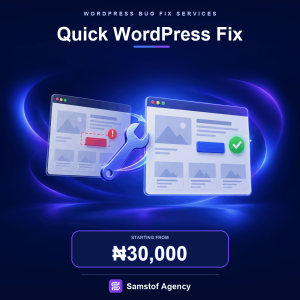
Choose Quick WordPress Fix when the problem is:
- Small
- Clearly identifiable
- Limited to one simple feature
- Unlikely to require technical debugging
Choose Standard WordPress Bug Fix when the problem:
- Requires troubleshooting
- May involve a plugin or theme conflict
- Involves Elementor
- Started after an update
- Includes a login or form problem
- Involves a basic PHP error
- Affects several closely related frontend elements
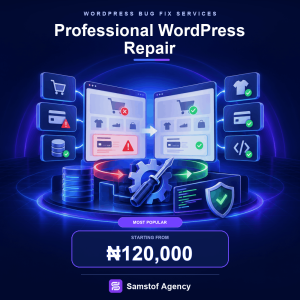
If WooCommerce checkout, payments, databases, complex PHP/JavaScript, or several technical systems are involved, Professional WordPress Repair may be more appropriate.
Is Standard WordPress Bug Fix Right for You?
Choose this service when your WordPress website is experiencing a moderate technical problem and the cause isn’t immediately obvious.
You don’t need to diagnose the issue yourself.
Tell us:
What’s happening → Where it happens → When it started → What you expected to happen
We’ll use that information to determine whether the Standard Fix is the appropriate troubleshooting level.
Starting Price
₦60,000
Final pricing depends on the type of error, affected functionality, website condition, plugins/theme, hosting environment, third-party integrations, and troubleshooting complexity.


Reviews
There are no reviews yet.